

Read the ratings in SmartView
Say you want to see how Front Counter went over the last month (use your own position names). Open Performance > Positional Excellence. It opens on SmartView, with the last 30 days shown.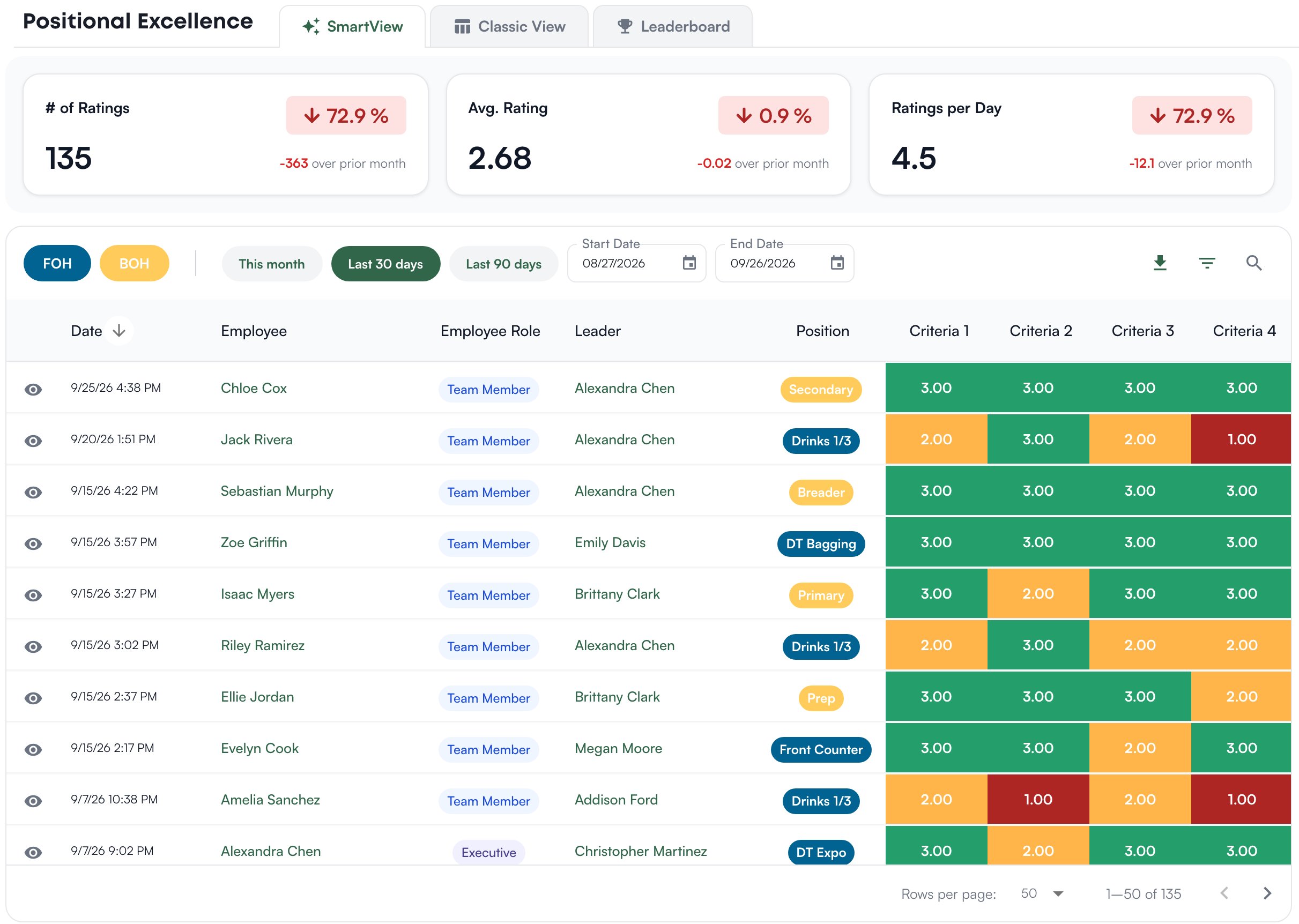
Delete a rating
A rating cannot be edited. To remove one, click the trash icon at the end of its row in SmartView, check the team member, leader, position, date and overall in the Confirm Delete window, and click Delete. Deleting is permanent.Rank people on the Leaderboard
Open the Leaderboard tab. It shows one area at a time, over the last 90 days unless you pick This month, Last 30 days or your own Start Date and End Date. The top three get cards with their overall, total ratings and tenure; everyone else is in the table below under Rank, Name, Role, Overall, Total Ratings and Tenure.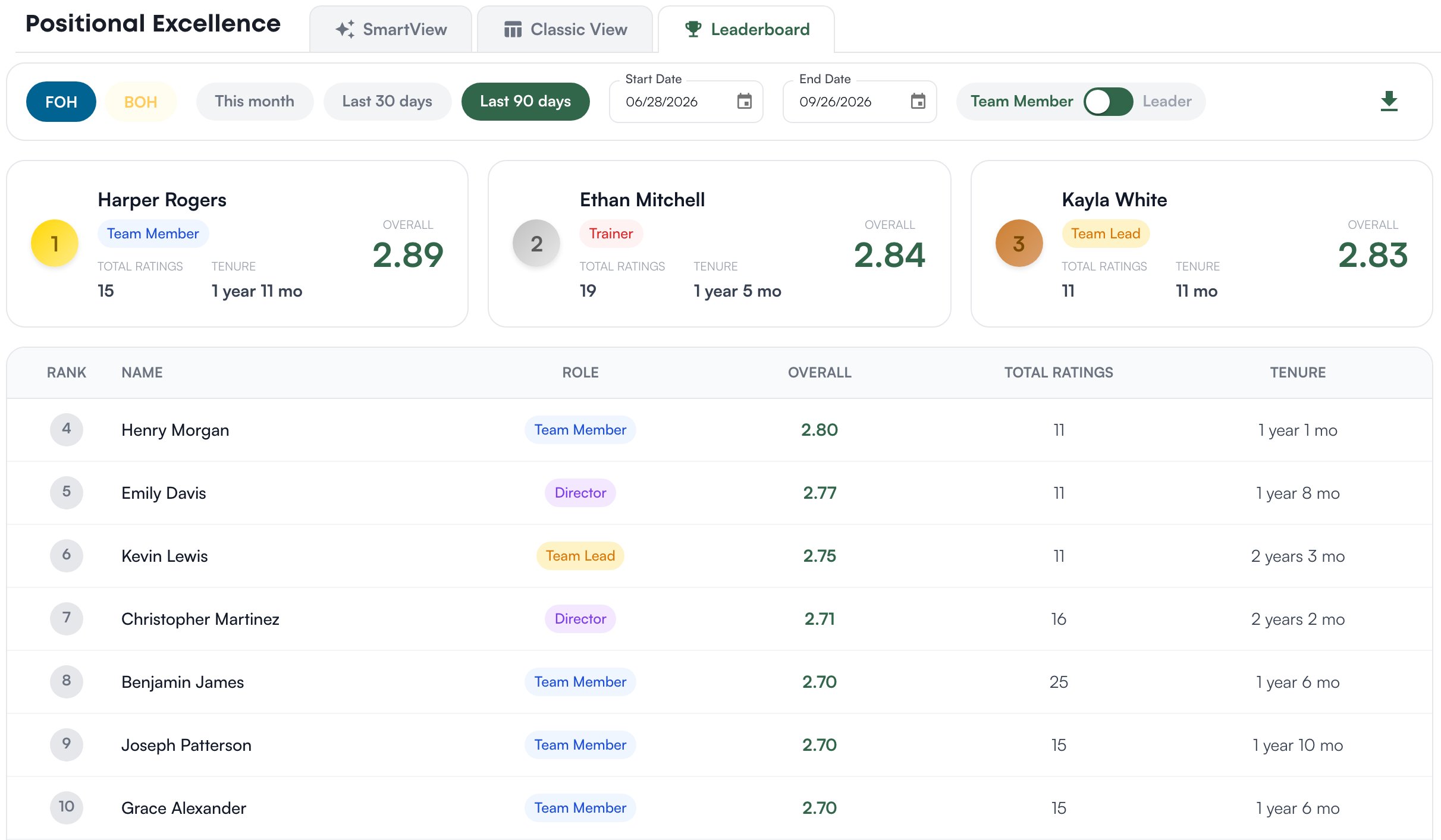
Who can do what
If a page or a button described here is missing for you, this table names the permission behind it.
If you’re missing something here, ask whoever manages roles in your organization to turn it on. See Roles.
Common questions
A leader is missing from the Leader view of the Leaderboard.
A leader is missing from the Leader view of the Leaderboard.
The Leader view lists active people at the store in the selected area whose role holds Positional Excellence > Submit Ratings, whether or not they have submitted any. Check the area first, then ask whoever manages roles in your organization whether their role holds that permission.
Where do I change what we rate on?
Where do I change what we rate on?
Positions, their criteria, the rating guidance under each score, the rating scale and who rates whom are all on Performance > Set up > Positions and ratings. See Positions and ratings.