

Find a person
The report is split into two collapsed lists; click the one you need to open it. Active Employees lists everyone currently on the roster with their Role, Hire Date, Last Infraction and Points, their current points, colored against your organization’s action thresholds so a number close to the next threshold stands out.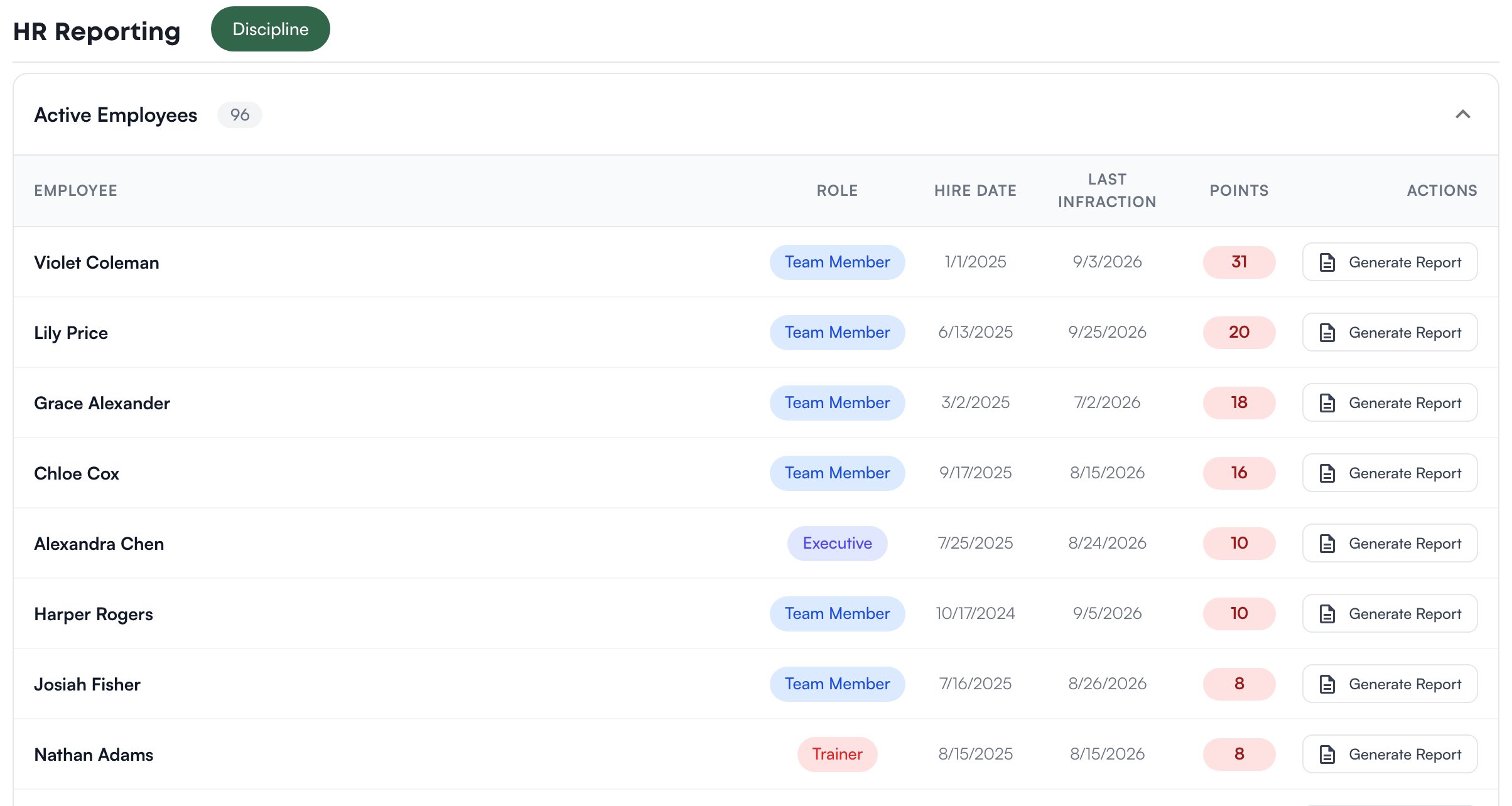
Generate a PDF
Click Generate Report on a person’s row. Levelset builds a PDF of their discipline record and downloads it, named for the person and today’s date. It works for current and former team members alike. The PDF is headed Discipline Report with the person’s name, role, hire date and current points, followed by a Discipline History of every infraction and action. One sentence under the current points names the date the points window starts, the person’s lifetime total, and how many points have rolled off and no longer count; the history entries themselves are not marked either way.What decides the numbers
The store comes from the dropdown in the header; switch stores to report on another. Current points follow your organization’s points window, and only infractions filed at stores you have access to are counted.Who can do what
If Reporting is missing from your Performance menu, the permission behind it is HR Reporting > View HR Reporting. If you’re missing something here, ask whoever manages roles in your organization.Common questions
Someone who left is not in the inactive list.
Someone who left is not in the inactive list.
They left from a different store. Switch stores in the header.
The points on the report do not match what I remember.
The points on the report do not match what I remember.
Current points count only infractions inside the points window. Older ones are still in the PDF’s history, and the sentence under the current points says how many points have rolled off.
Is there a ratings or turnover report?
Is there a ratings or turnover report?
Not here. Positional excellence ratings are read and exported from Positional Excellence.
Is this page available in Spanish?
Is this page available in Spanish?
Not yet. This page and its PDF are English only.