

Read the pillar scores
The cards across the top show Pillar Score, the store’s overall score, then one card per pillar with its weight, each with a score out of 100 and a change. A card’s score is the latest point of its 7-day moving average, and its change is that point against the first point in the timeframe; the table below calculates change against the period of the same length before the timeframe, so a person’s card and table figures can differ. Click a pillar card to focus it: the Change column in the table and the Pillar Trends line follow that pillar until you click it again.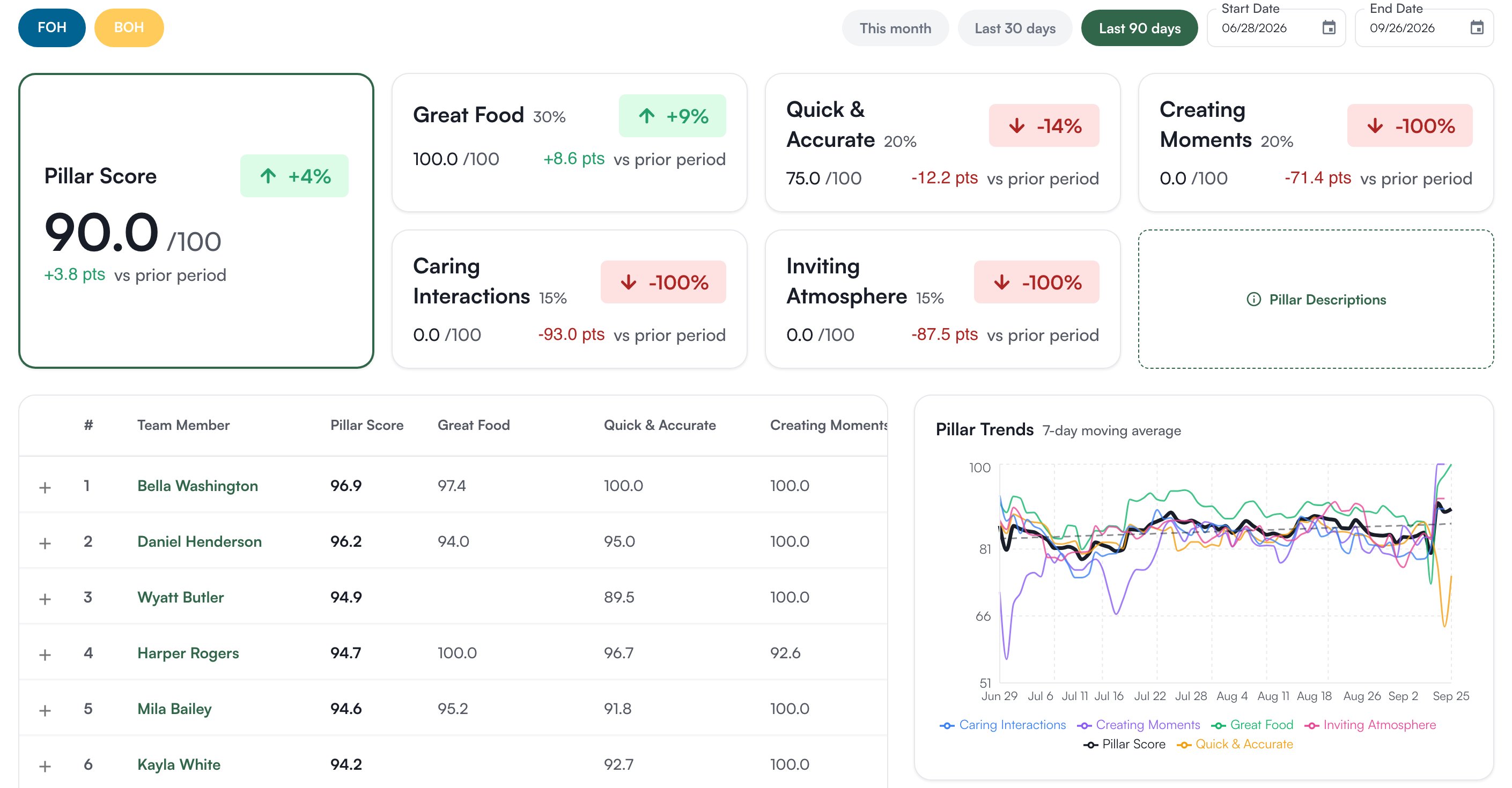
Where the scores come from
Whoever manages positional excellence settings sets this. Every rating criterion on every position can carry a Pillar 1 and, optionally, a Pillar 2, under Organization Settings > Positional Excellence on the Positions tab: expand a position and each criterion row has the two columns. See Positional Excellence settings. When a leader rates someone, each criterion’s score flows to the pillars it is tagged with. A criterion tagged with both sends 60% of its weight to Pillar 1 and 40% to Pillar 2, so put the pillar the criterion is mostly about first. Ratings are on a 1 to 3 scale and shown as 0 to 100. A pillar nobody has been rated on is left out of the overall score rather than counted as zero. Retagging changes which past ratings feed which pillar, so expect the scores to move after a change.Who can do what
The Pillars tab has no permission of its own; anyone who can open the Goals page sees it.
If you’re missing something here, ask whoever manages roles in your organization.
Common questions
A pillar shows nothing.
A pillar shows nothing.
No criterion is tagged to it, or nobody has been rated on the criteria that are. Check the Pillar 1 and Pillar 2 columns in Positional Excellence settings.
Can we use our own pillars?
Can we use our own pillars?
No. The five are fixed. The choice is in which criteria you tag to them.
Can a goal be tied to a pillar?
Can a goal be tied to a pillar?
Yes. A goal’s editor has a Pillars field, and an auto-tracked leading goal can count a pillar’s daily score. See Create and edit goals.